Driver defect reporting app

Driver defect reporting, from the HGV walkaround to the workshop.

A cracked mirror or air leak needs more than a message saying 'reported'. Rivetway lets drivers record vehicle checks, add a photo and explain a failed item on their phone. The office and workshop can follow the same issue through review, repair and closure.

The operational problem

Keep the fault, evidence and follow-up together.

A defect report is useful when the next person can understand what failed and see what still needs doing.

Make the fault clear at the first report

'Rear light faulty' is hard to act on if the office cannot identify the vehicle or see what failed. The driver's check links each failed item, photo, short description and safety outcome to the vehicle record.

Separate a report from a completed repair

The workshop can review a defect, schedule repair and record rectification. Verification and closure are separate steps, so an issue does not disappear just because somebody has looked at it.

Keep the next driver informed

A vehicle can change drivers between shifts or drainage call-outs. Unresolved defects are visible in the check workflow, helping the next driver recognise a known issue and report the condition they actually find.

How it works

From a completed check to a verified repair.

Each stage has a practical purpose: describe the fault, arrange the work and retain the evidence of the outcome.

01Choose the vehicle and any trailer; complete each check item

The checklist follows the vehicle type. Pass, fail and not-applicable answers are reviewed before the driver accepts the declaration.

02For a failed item, add a photo, description and safety outcome

Failed items need evidence and a safety outcome. A completed check with no failed items is retained as a nil-defect record.

03The workshop reviews the defect and records the repair

Reported defects enter the workshop queue. The team can create a work order and link repair evidence to the issue.

04Record verification, close the issue and retain its history

Rectification and verification are recorded separately, with notes and history available alongside the original check.

Scope and responsibility

Safety decisions remain with your team.

These reporting and workshop workflows are available in Rivetway. A safety-critical report displays a 'Do not drive' warning and marks the affected vehicle off road. Drivers and operators must still assess roadworthiness, follow their maintenance arrangements and meet the rules that apply to their operation; software cannot guarantee compliance.

Available in Rivetway

What your team can record today.

Test these checks and workshop steps during your trial. Check the suitability of your vehicle and equipment checklist with us during a demonstration.

Phone-based walkaround checks
Photos required for failed items
Nil-defect check records
Vehicle and trailer check items
Workshop work orders and repair evidence
Rectification and closure history
A defect in practice

Give the workshop enough detail to act.

An HGV driver spots damage to a mirror before leaving the yard. A useful report shows the damaged area, identifies which mirror is affected and explains the effect on the driver's view. Rivetway keeps that evidence with the failed check item, vehicle and reporting driver.

For a drainage vehicle

A driver finds a leaking hose or loose equipment on a tanker before a call-out. Record the issue against the relevant leak, load-security or fitted-equipment check item, with a photo and a precise note. The operator must decide whether the vehicle and equipment can be used safely; the report gives the office and workshop a record to work from.

Before closing the defect, record what was repaired, who verified it and what they checked. Link any repair document or evidence to the defect so the next person can follow the outcome.

The same fleet can keep HGV and driver records, compliance documents and small-fleet job information together. For a closer look at office follow-up, see vehicle defect management.
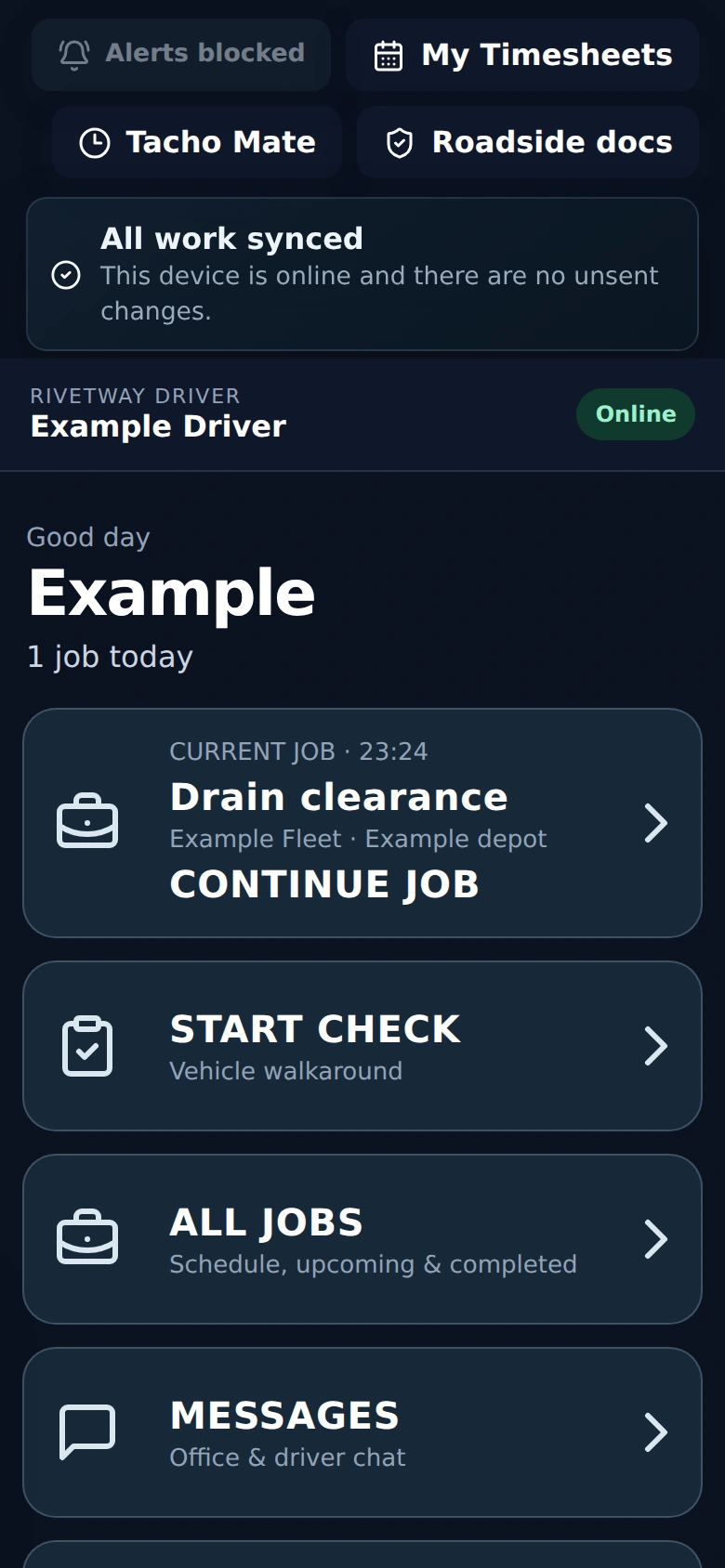
Rivetway Driver home screen with a Start Check vehicle walkaround button and an example drain clearance job
Actual Rivetway Driver screen using sample data. Drivers start a vehicle walkaround from the same phone workflow they use for jobs.
Questions people ask

Driver defect reporting questions.

Can drivers record a check when no defects are found?

Yes. A completed walkaround with no failed items is saved as a nil-defect check. The driver reviews the answers and accepts a declaration before submitting, so there is a record of the check as well as a record of faults.

What does a driver need to add to a failed check item?

A photo, a short description and a safety outcome are required for each failed item. The driver can use quick reasons or write what is wrong, then review the completed check before submitting.

Can we check an HGV and its trailer?

Yes. The driver can select the vehicle and an optional trailer. The check includes the relevant items, and a trailer defect is linked to the trailer rather than being lost against the tractor unit.

How does the workshop follow up a reported defect?

Reported defects appear in the workshop queue. The team can review the issue, create a populated work order, schedule a repair, add repair evidence and record rectification. Verification and closure notes remain in the history alongside links to the original check.

What happens when a driver reports a safety-critical defect?

The check displays a 'Do not drive' warning and the affected vehicle is marked off road when the report is submitted. The driver should also follow the operator's immediate escalation procedure; waiting for software to be checked is not a substitute for stopping unsafe use.

Is this suitable for a small drainage or haulage fleet?

Rivetway is built from real HGV and drainage industry experience, with phone workflows for drivers and connected records for the office. All modules and unlimited users are included across plans, so the driver and workshop team do not need separate per-user subscriptions. A 90-day free trial lets you test the workflow with your own operation.

See it in context

Try the check-to-repair workflow with your fleet.

Start a 90-day free trial, with all modules and unlimited users included. Or request a demonstration using the contact form: tell us your fleet size and the checks you need drivers to complete.